Decide less
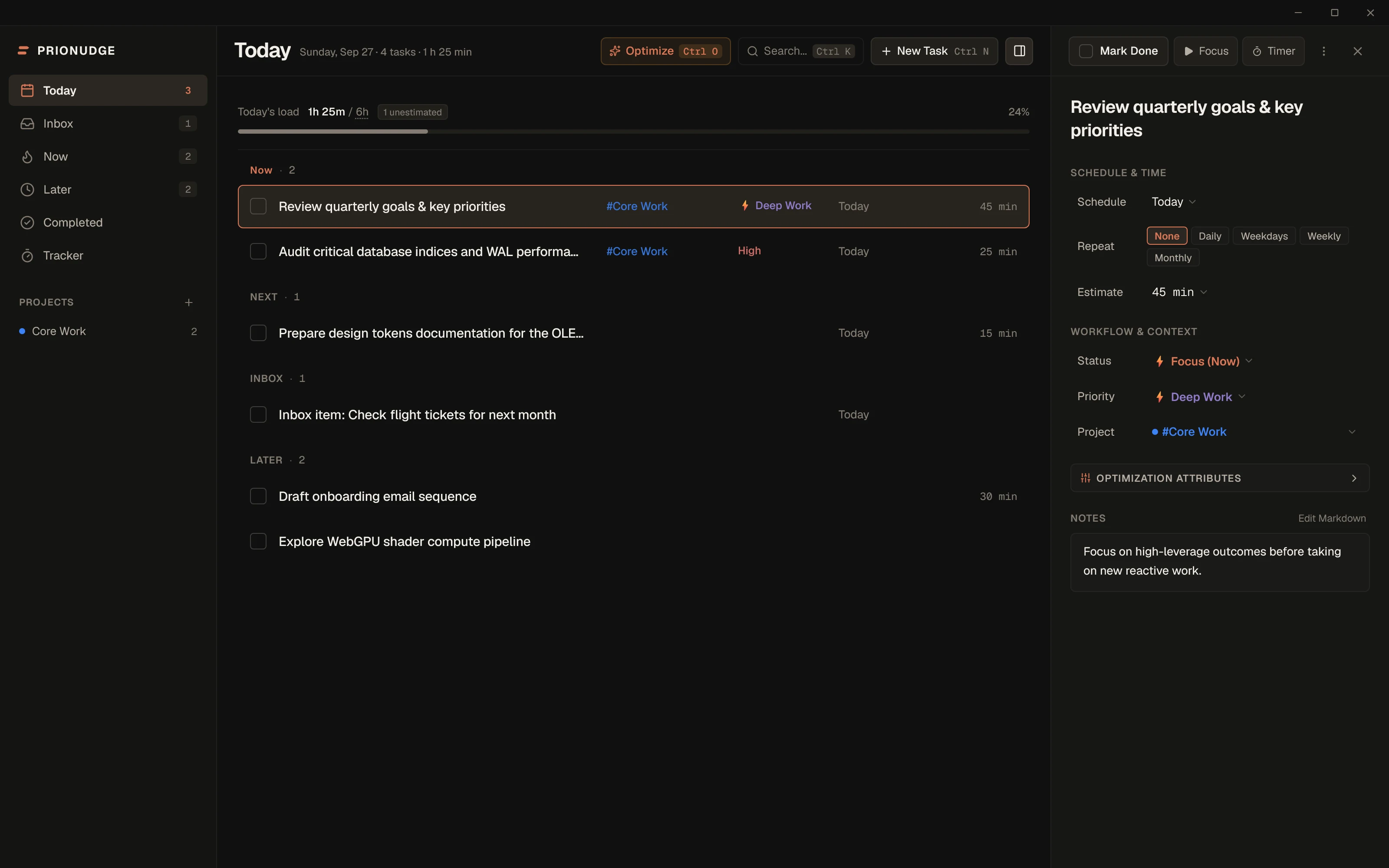
Now, Next, Inbox and Later are separate states, not one endless list. Everything doesn’t become equally urgent, and the next thing is already chosen.
Windows desktop app · v0.1.21 available
PrioNudge combines task priorities, realistic time estimates, and built-in activity tracking to eliminate the friction of deciding what deserves your attention. Local-first, keyboard-driven, and built for Windows.
Design Philosophy
The work isn’t organizing tasks. The work is doing them. PrioNudge is built to keep the deciding small so you can stay in flow.
Now, Next, Inbox and Later are separate states, not one endless list. Everything doesn’t become equally urgent, and the next thing is already chosen.
Duration estimates, focus sessions, and built-in activity tracking make your real workload visible before burnout sets in.
Quick Capture, global keyboard shortcuts, and system tray controls keep capturing and finishing work from interrupting the work itself.
One app · One workflow
One connected workflow from deciding what deserves attention to seeing where your time actually went.
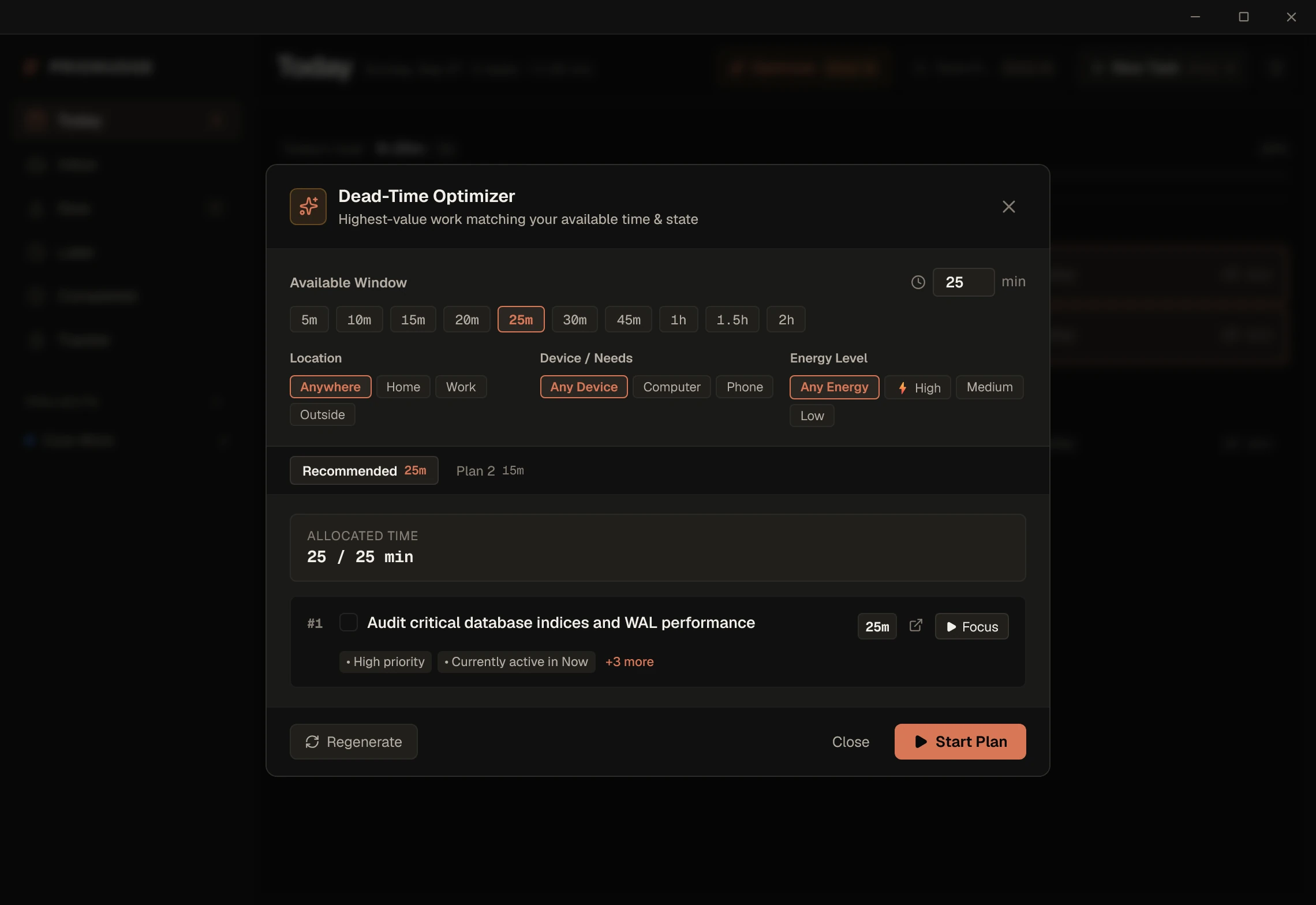
Tell PrioNudge how much time you have, where you are, and how much energy you’ve got. It ranks what fits and builds a single plan you can start immediately.
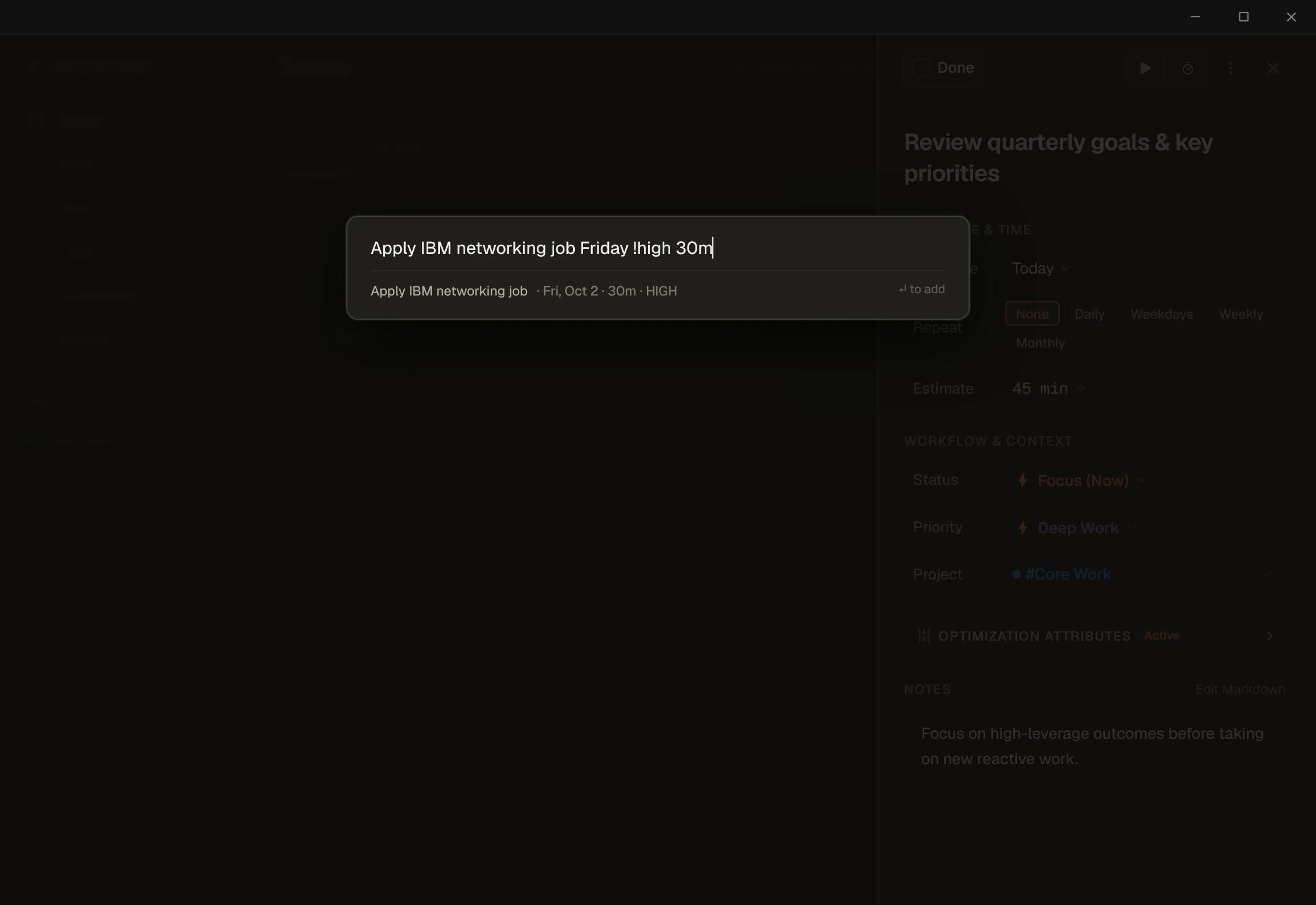
Press Ctrl+Alt+Space from anywhere on Windows. Natural dates, durations, priorities, recurrence, and target sections are extracted in milliseconds so you can get right back to work.
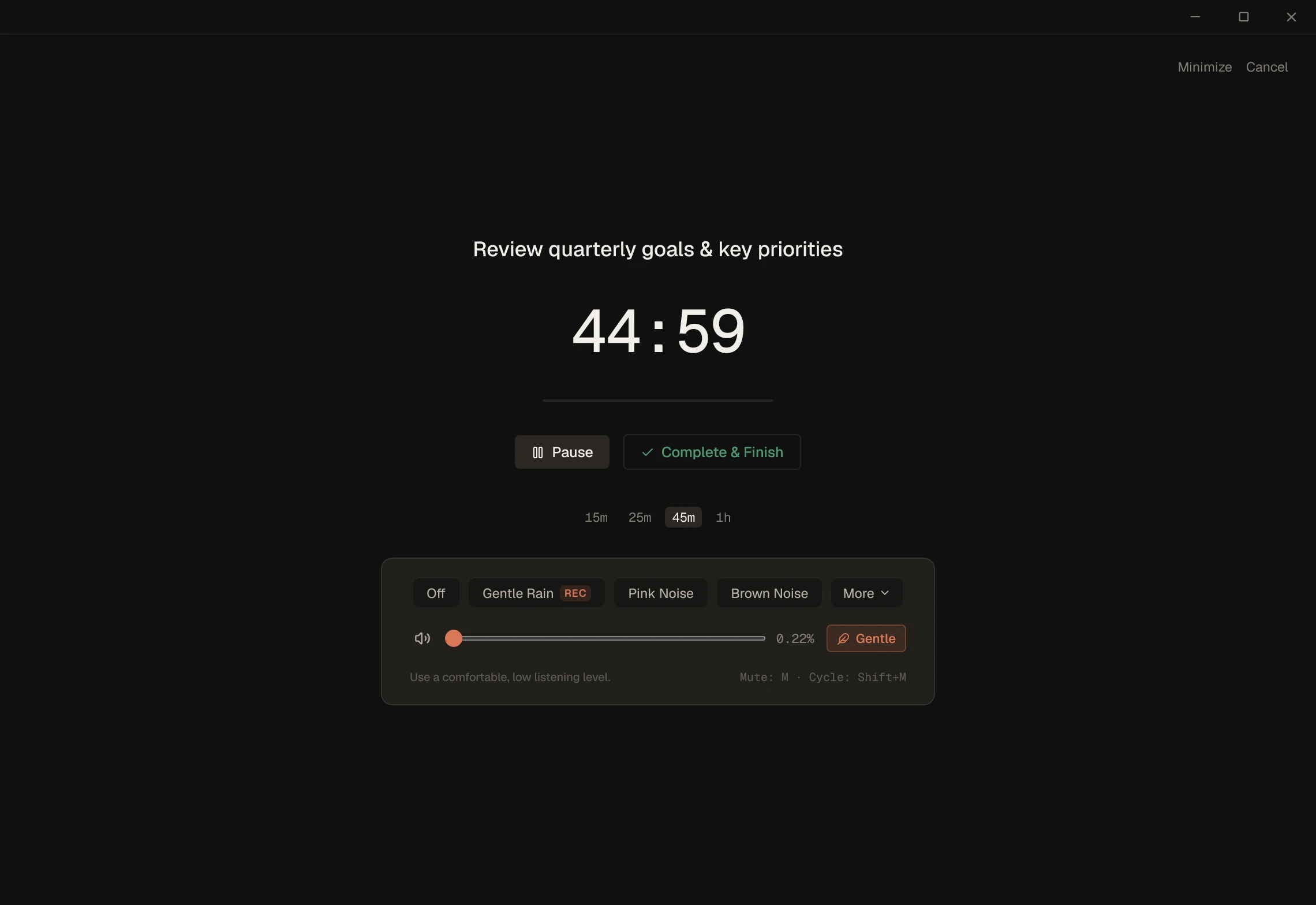
Pick a duration preset, start the timer, and let everything else fade away. Focus mode keeps the active task in front of you with ambient soundscapes to mask environmental noise.
Close the loop between planning and reality: task estimate → focus session → tracked actual time. Start one-click stopwatches for saved activities, record sessions as you work, and unlock Personal Estimation Accuracy Insights.
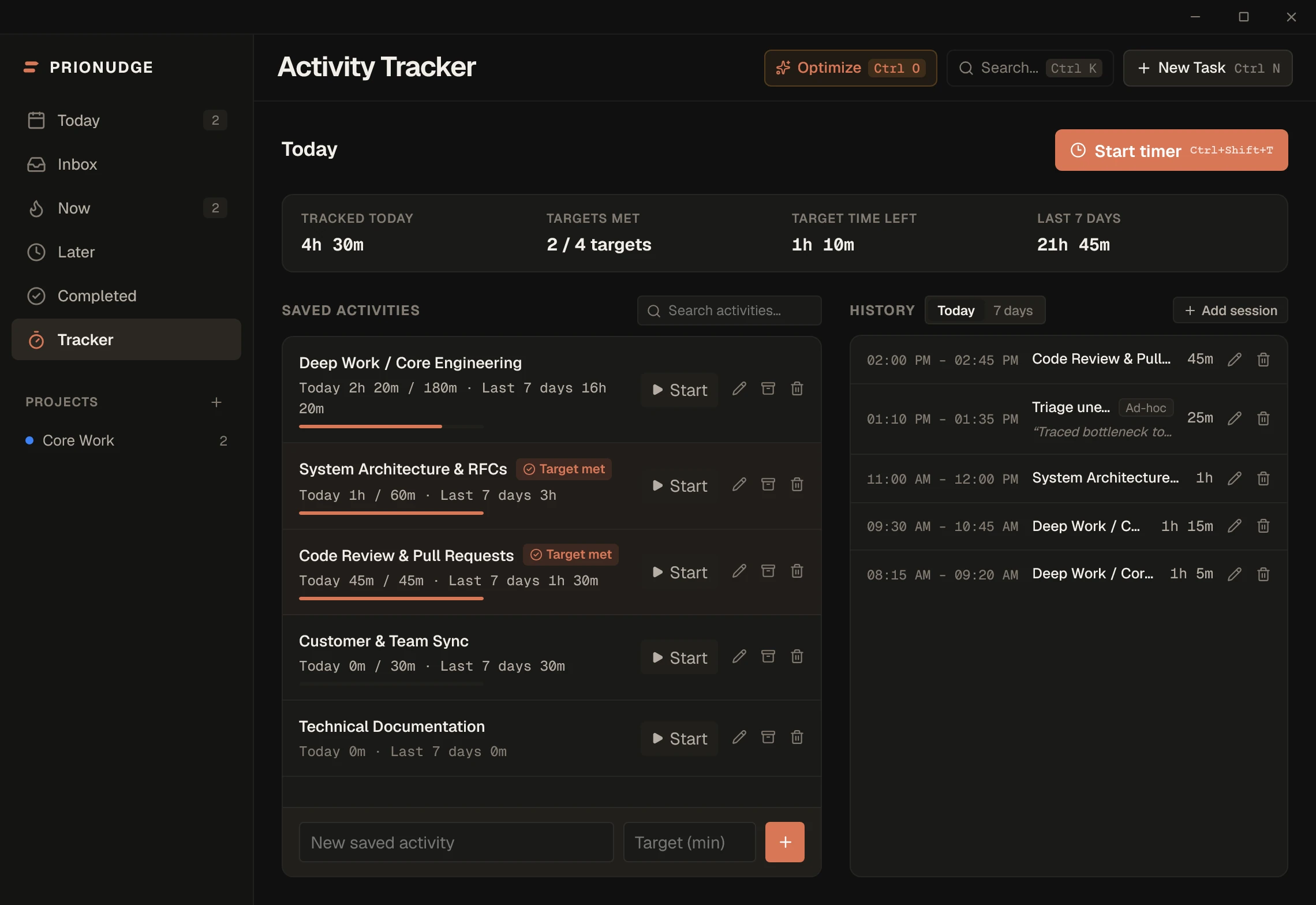
Project Intelligence unifies your task backlog with your tracked time. Assign activities to projects to see aggregate hours, open commitments, and smart activity suggestions. When your schedule gets packed, Balance Today provides clear decision guidance to reshape your workload calmly.
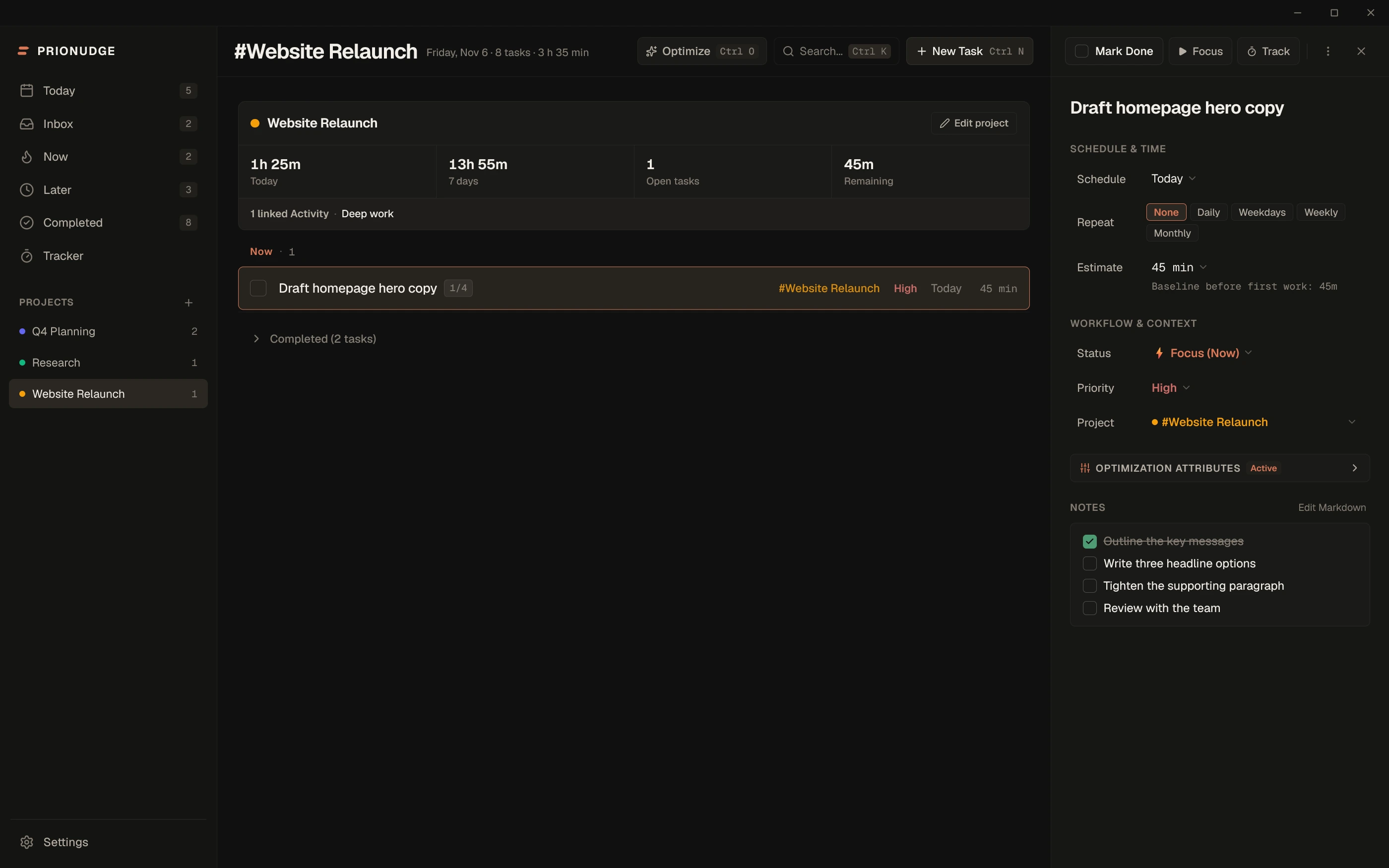
Daily routines, weekdays, weekly work, and monthly tasks recreate themselves automatically as each occurrence is completed, while completed occurrences remain permanently preserved in your history.
Built for Windows · Local-First Foundation
PrioNudge installs directly on Windows as a dedicated desktop app with native window controls, tray prewarming, and local-first storage. Your productivity data stays on your PC — no accounts required, no telemetry, and zero cloud task syncing.
Your tasks, notes, and tracker sessions stay on your machine in an ACID SQLite database with WAL durability. Your productivity data is never synced to the cloud or analyzed. The app uses the network only for signature-verified update checks and license validation.
New releases download and install safely only after the update payload passes cryptographic signature verification (Tauri minisign).
Ctrl+K for command palette, Ctrl+Alt+Space for global capture, J/K navigation, and 1/2/3 to move between Now, Next, and Later.
Custom dark titlebar with native window controls, system tray integration with instant prewarmed tray mini-window, and global shortcuts built specifically for Windows 10 & 11.
Timed tasks deliver native Windows desktop notifications even when PrioNudge is minimized or running quietly in the tray.
Full bilingual support across the entire interface. Switch smoothly between English and Română in Preferences.
Founder Early Access
€14.99 one-time
Handled securely by Creem as Merchant of Record. Major cards, Apple Pay & Google Pay.
PrioNudge Founder Early Access is available as a one-time purchase — a perpetual license for the purchased software version, up to three Windows device activations, and no subscription.
Every download includes a full 14-day local trial with no account required so you can evaluate the complete app before or after purchasing.
Frequently Asked Questions
Every download includes a full 14-day local trial with all features enabled (tasks, tracker, optimizer, soundscapes). The trial begins automatically when you first launch PrioNudge on your Windows PC. No account registration, email signup, or credit card is required.
The Founder Early Access license is a one-time purchase of €14.99 with no recurring fees. It provides a perpetual entitlement to use the purchased version of PrioNudge indefinitely on up to three of your personal Windows devices. It does not carry an unsupported promise of lifetime major future updates.
Yes. All tasks, priorities, notes, and activity tracking history are stored locally in an on-disk SQLite database on your device. PrioNudge never sends your productivity data to the cloud. The network is used only for license activation/validation and signature-verified update checks.
A single license key can be simultaneously active on up to three Windows machines. If you get a new computer or reinstall your operating system, you can deactivate a machine directly inside PrioNudge (Settings → License) to free up an activation seat.
PrioNudge is built for 64-bit Windows 10 (version 1809 or later) and Windows 11. It installs as a lightweight, performant desktop executable with native system tray and keyboard integration.
v0.1.21 Windows 10 & 11 14-day free trial All releases